Table of Contents
Many small business owners walk away from advertising frustrated. They’ve “tried it before” and decided ads don’t work. The problem isn’t the idea of advertising — it’s the strategy behind it. Without the right setup, even the best platforms will eat your budget and leave you with little to show for it.
That’s where paid ads 101 comes in. When run with intention, Google and social media ads can generate leads quickly and profitably. They give your business instant visibility, something SEO and word-of-mouth can’t always deliver on their own.
In this post, we’ll break down what paid ads really are, the key differences between Google and social ads, and how your small business can start using them today — without wasting money.
What Are Paid Ads?
At its core, paid ads 101 starts with understanding what they actually are. Paid ads are advertisements you pay for on platforms like Google, Facebook, and Instagram. Unlike organic strategies that take time to build traction, paid ads buy you instant visibility.
Most platforms run on a pay-per-click (PPC) model. That means you only pay when someone interacts with your ad — like clicking a link or calling your business. This ensures your budget is tied to real action, not just impressions.
Why does this matter? Organic marketing like SEO and social posting is powerful but slow. Paid ads give you the ability to reach new customers today while your long-term strategies build momentum.
Google and Social Ads — Key Differences
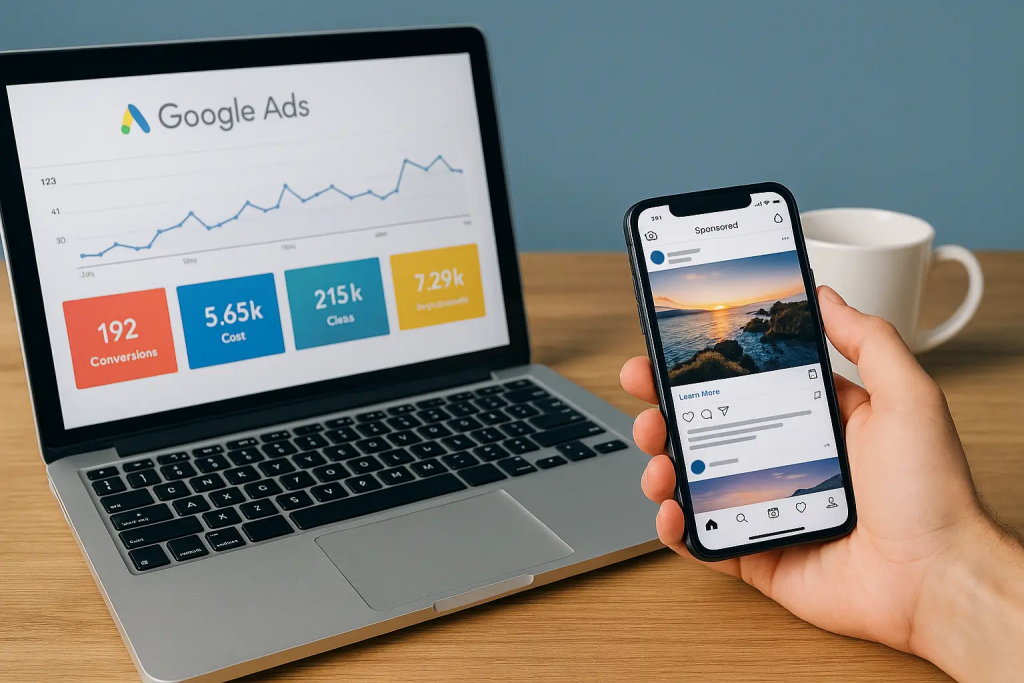
One of the first lessons in paid ads 101 is that not all ads are created equal. The two biggest channels — Google Ads and social media ads — serve very different purposes.
- Google Ads = Capturing Intent. When someone types “roof repair near me,” they’re already looking for help. Google Ads put your business in front of people ready to act.
- Social Ads = Creating Demand. On Facebook or Instagram, people aren’t searching for you — but you can still get their attention. Social ads interrupt the scroll with offers, stories, or eye-catching visuals that plant a seed.
The key difference is mindset: Google captures what people already want, while social sparks interest in something they may not have thought of yet.
Used together, they create full-funnel coverage:
- Google Ads = discovery at the bottom of the funnel (ready-to-buy).
- Social Ads = awareness and engagement at the top of the funnel (getting on people’s radar).
Why Paid Ads Matter for Small Businesses
One of the most practical takeaways from paid ads 101 is this: small businesses don’t need massive budgets to see real results. Paid ads matter because they let you compete on equal footing with bigger players.
- Quick results while SEO builds long-term growth. SEO is a long game, but paid ads can start generating leads today.
- Level the playing field. Even if a competitor has a larger marketing budget, you can target the same search terms or local audience with smart ad campaigns.
- Hyper-local targeting. Narrow your reach by city, zip code, or even a radius around your storefront — making sure only the right people see your ads.
- Budget control. Start with just a few dollars a day, scale up as you see what works, and pause anytime.
For small businesses, that mix of speed, control, and precision is a game-changer.
How to Make Paid Ads Work (Without Wasting Money)
Running ads isn’t about throwing money at Google or Facebook and hoping for the best. The heart of paid ads 101 is building a simple, focused strategy.
- Define your goal. Are you driving calls, leads, foot traffic, or brand awareness? Your goal determines your ad setup.
- Target the right audience. For Google Ads, choose the keywords people actually search. For social ads, build audiences based on interests, demographics, or lookalikes.
- Write compelling ad copy. Highlight benefits, not just features. Add a clear call-to-action (CTA) that tells people exactly what to do next.
- Use strong visuals. On social media, images and video matter. A good visual stops the scroll so your message can land.
- Track and measure results. Don’t “set and forget.” Use conversion tracking to see which ads bring leads, then put more budget behind what’s working.
Done right, Google and social ads don’t just generate clicks — they generate customers.
Common Mistakes to Avoid in Google and Social Ads
Too many small businesses walk away from advertising because they made a few simple mistakes that drained their budget. Part of paid ads 101 is learning what not to do:
- Sending traffic to a weak website or homepage. If your site doesn’t clearly explain who you are or what to do next, you’re wasting clicks.
- No clear call-to-action. Every ad should point to one simple action: call, book, sign up, or buy.
- Too broad targeting. Don’t waste money showing ads to everyone. Narrow down to your ideal customers.
- Not tracking conversions. Without tracking, you’ll never know which ads actually drive leads.
Local Examples (Hypotheticals)
- Plumber running Google Ads. With just $10/day, a local plumber generates 3–5 new leads each week by targeting “emergency plumber near me.”
- Café using Instagram Story ads. A family café runs weekend promos with eye-catching visuals, boosting traffic with a simple coupon.
- Church running Facebook ads. A local church promotes a community event, driving dozens of sign-ups by targeting families in a 10-mile radius.
These aren’t “what-ifs” — they’re the kinds of wins small businesses see when ads are set up with focus and strategy.
Conclusion
Paid ads aren’t magic. They won’t replace good service, a solid reputation, or long-term strategies like SEO. But when done wisely, they’re one of the fastest ways to generate new leads and opportunities for your business.
Even small budgets can create momentum. The key is clarity, focus, and tracking results. Want help setting up profitable ads for your business? Book a free Snapshot Call today. Let’s make your ads start working for you instead of against you.